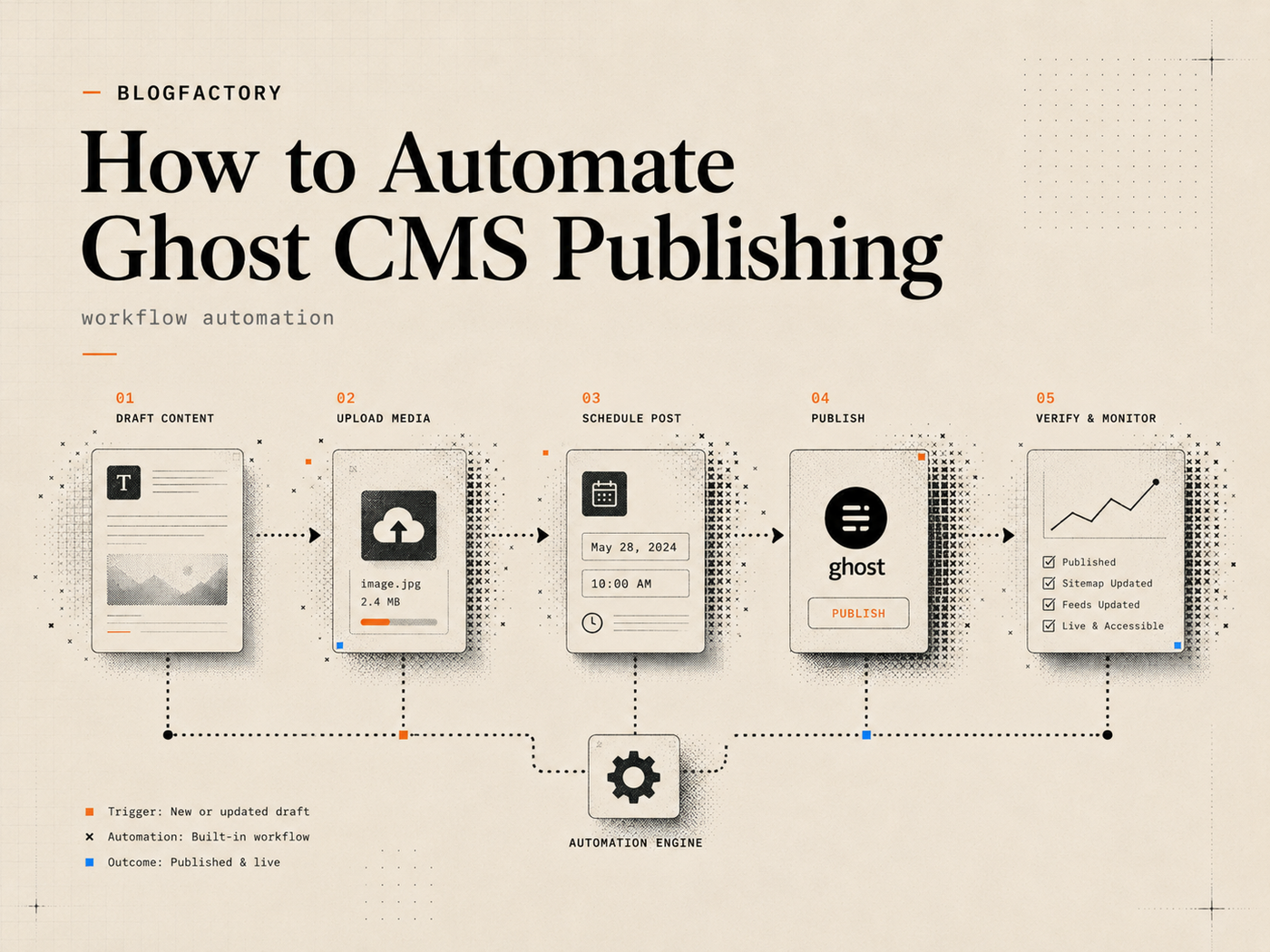
Ghost CMS automation should reduce repetitive publishing work without hiding the transitions that can affect a live site. A complete workflow covers draft creation, metadata, images, review, scheduling or publishing, deployment for headless sites, and verification of the public result.
The safest design does not treat “write an article” and “make it public” as one command. It creates clear stages, assigns the minimum permission required to each stage, and records what happened.
Key points
- Map the editorial workflow before choosing automation tools.
- Use a dedicated Ghost custom integration and keep the Admin API key private.
- Make content creation draft-only and require a separate transition for scheduling or publishing.
- Validate images, metadata, exact targets, and current revisions before writing.
- For headless Ghost, treat publishing, deployment, and public verification as different steps.
- Do not automatically repeat an uncertain write; first determine whether the original operation succeeded.
What Ghost CMS publishing automation should include
Automation is not merely sending generated HTML to an API. A production publishing path normally includes several objects and decisions: the content body, title, slug, excerpt, tags, authors, feature image, SEO metadata, social metadata, publication status, schedule, destination, and public URL.
Ghost’s Admin API supports authenticated content-management operations, while the Content API is intended for reading published content. Admin API keys must stay in trusted server-side or local automation environments.[1] The automation layer should expose only the subset of Admin API behavior required by the editorial job.
A practical end-to-end flow is: brief → research → reviewed article package → Ghost draft → image and metadata review → approved schedule or publish transition → optional frontend deployment → public verification.
Step 1: Map the workflow before automating it
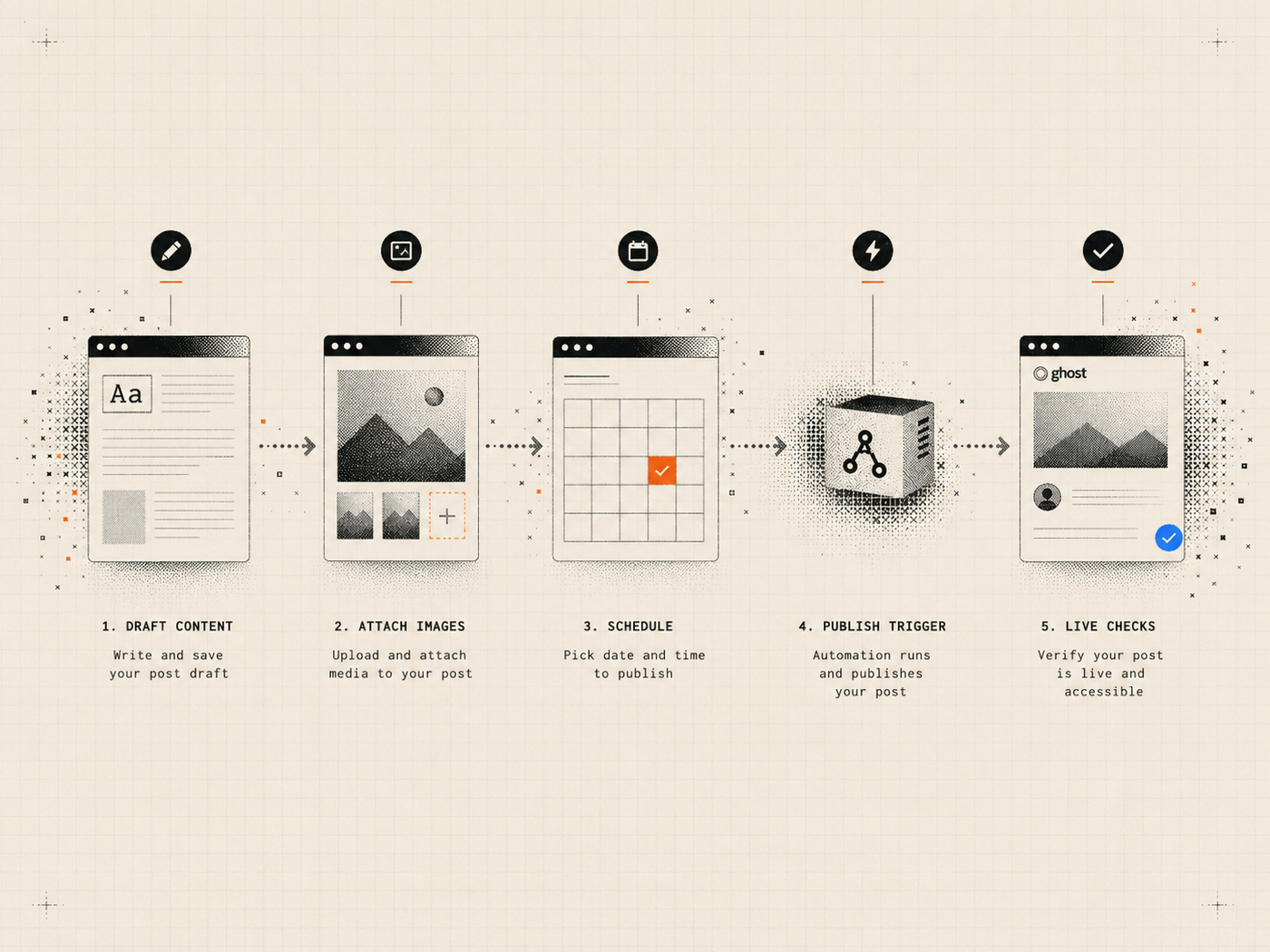
Document the current manual process from the moment an article is approved to the moment the public page is confirmed. Record each system, decision, credential, handoff, and failure state.
Ask who is allowed to create drafts, who approves metadata, who selects authors and tags, who can schedule, who can publish, whether the frontend needs a rebuild, and how the team confirms the final URL. This prevents an automation project from collapsing several responsibilities into one powerful token.
The workflow should also define the source of truth. If the reviewed article lives in an editorial workspace, the Ghost draft should be created from that exact revision rather than from an earlier chat response or local file.
The article on open-source content automation explains why the operating process matters more than simply generating more text.
Step 2: Create a dedicated Ghost integration
Create a custom integration in Ghost Admin for the automation workflow. Store the site URL and Admin API key in a private client configuration, environment variable, or secret manager. Never place the key in a prompt, repository, screenshot, issue, analytics event, or command-line argument that may be recorded.
Use different integrations for production and staging. Name them clearly and record the intended environment so an operator cannot accidentally run a production publishing command against a test site or vice versa.
Before enabling writes, perform a read-only connection check and confirm the returned Ghost host, version, and site identity. A successful connection to the wrong site is still a failed setup.
Step 3: Create Ghost drafts from reviewed content
Draft creation should always result in a draft, even if the incoming article contains instructions such as “publish immediately.” The tool schema and server logic—not the generated prose—must determine the status.
Send a complete package rather than only a body string. Useful fields include title, slug, excerpt, content, tags, author selection, feature-image intent, meta title, meta description, canonical settings when required, and any social-card fields used by the publication.
Validate the package before the API call. Check title and metadata lengths, required authors, duplicate slugs, unresolved placeholders, broken internal links, unsupported HTML, and missing image alt text. Ghost requires posts to have an author, and token-authenticated creation may otherwise default to the owner account.[2] Explicit author selection avoids surprising attribution.
Return the exact Ghost post ID, slug, status, and updated timestamp after creation. Those values are required for later revision-aware changes.
Step 4: Upload and attach images safely
Image automation needs its own controls. Restrict local uploads to configured directories so the tool cannot read arbitrary files from the operator’s machine. Validate extension, MIME type, file size, and basic image integrity before upload.
Keep visual generation separate from publication. An AI client may create or select an image, but the operator should still confirm that the visual is accurate, licensed for use, appropriate for the article, and free from sensitive information.
The publishing package should include meaningful alt text that describes the image’s purpose in context. Avoid stuffing keywords into alt text or using the filename as a substitute for accessibility review.
After upload, use the Ghost-returned image URL rather than guessing a path. Read the draft back to confirm the feature image or image card points to the uploaded asset.
Step 5: Preview metadata and content changes
Drafts often need corrections after creation: a shorter meta title, a different tag, a replaced section, a new canonical URL, or an updated image. Do not let the agent issue a blind overwrite.
Read the exact current draft and capture its updated timestamp. Prepare a preview that names the target, the current revision, every field that will change, the before value, the after value, and whether the body will be replaced or edited structurally.
Apply the change only if the revision is unchanged and the operator approves the named scope. If another editor modified the post, stop and regenerate the preview from the current version. This protects newer work from stale automation.
For teams using a separate editorial control plane, the review and approvals stage should identify the exact revision that is cleared for downstream delivery.
Step 6: Plan a publishing schedule
Scheduling introduces time-zone and ordering errors. Accept an IANA time zone such as Europe/Istanbul or America/New_York, not only a numeric offset that can become wrong during daylight-saving changes.
A schedule-planning step should convert local editorial times into exact UTC timestamps, preserve the intended order, identify any invalid or past dates, and bind the plan to the current draft revisions.
The plan should not write. Present the post titles, exact IDs, local times, UTC times, and current status for approval. Scheduling happens only after the operator confirms the plan.
After scheduling, read every target back and verify the stored status and timestamp. Do not assume that an HTTP success response proves the final state of the whole batch.
Step 7: Publish an approved batch
Publishing is a separate transition from draft creation or editing. The operator should approve a named list of exact posts or Pages, not a vague instruction such as “publish everything that is ready.”
Before the first mutation, preflight every target. Confirm that each item exists, is still a draft, has the expected revision, meets required metadata rules, and belongs to the intended Ghost site. If one item fails preflight, stop the entire batch before changing any item.
After each publish call, read the post back and record a receipt with ID, slug, old status, new status, updated timestamp, and any error. Avoid automatic write retries. When a request times out, the original operation may still have succeeded; repeating it without checking can create inconsistent outcomes.
The guide to publishing to Ghost with AI covers the permission and approval model in greater detail.
Step 8: Trigger deployment for headless Ghost
A Ghost status change does not always make the public article visible. In a headless architecture, a separate frontend may fetch Ghost content during a build or revalidation step. The publishing workflow therefore needs an optional deployment boundary.
Call the deployment hook only after the complete publish batch succeeds. Trigger it once, not once per post, unless the hosting architecture specifically requires individual revalidation.
Treat the deployment endpoint as a secret. Require HTTPS, reject redirects, redact the path or token in logs, and do not automatically retry a failed hook without confirming the hosting platform’s state.
If Ghost publishing succeeds but deployment fails, report those outcomes separately. Do not claim that the content is publicly visible until the frontend is verified.
Step 9: Verify the public result
Verification closes the automation loop. Use a server-selected public URL template or a URL returned from trusted site configuration rather than letting generated content choose an arbitrary destination.
Useful checks include:
- the public URL returns an expected successful status;
- the rendered page contains the expected title;
- the canonical URL matches the intended page;
- the meta title and description are present when configured;
- the feature image resolves;
- the published Ghost record and public page agree on the slug and status.
A successful Ghost API response is confirmed evidence about Ghost. It is not automatically evidence that a separate CDN, static frontend, cache, or search index has updated.
A reference architecture for Ghost automation
A controlled architecture separates five responsibilities:
- Editorial procedure: research, evidence, structure, and readiness rules.
- Review state: the exact article revision approved by a human.
- Ghost action layer: bounded read, draft, image, schedule, and publish operations.
- Delivery layer: optional deployment or cache revalidation.
- Observation layer: receipts, audits, and public-result checks.
Ghost Publisher MCP implements this type of bounded Ghost action layer. It runs locally, offers permission profiles, keeps draft creation draft-only, separates confirmation-sensitive transitions, and supports optional deployment and live checks. Review the Ghost Publisher MCP installation page for its current scope and setup instructions.
Common automation mistakes
Combining creation and publishing
A generated article should not become public in the same operation. Separate permissions and confirmations make mistakes reviewable.
Using one key everywhere
Shared credentials make rotation, attribution, environment separation, and incident response harder. Use a dedicated integration for the workflow.
Ignoring revisions
A correct edit based on stale content can still overwrite a human’s newer work. Require current revision information for changes.
Treating deployment as guaranteed
A hook response, CDN update, and rendered page are different pieces of evidence. Check the public result.
Retrying writes automatically
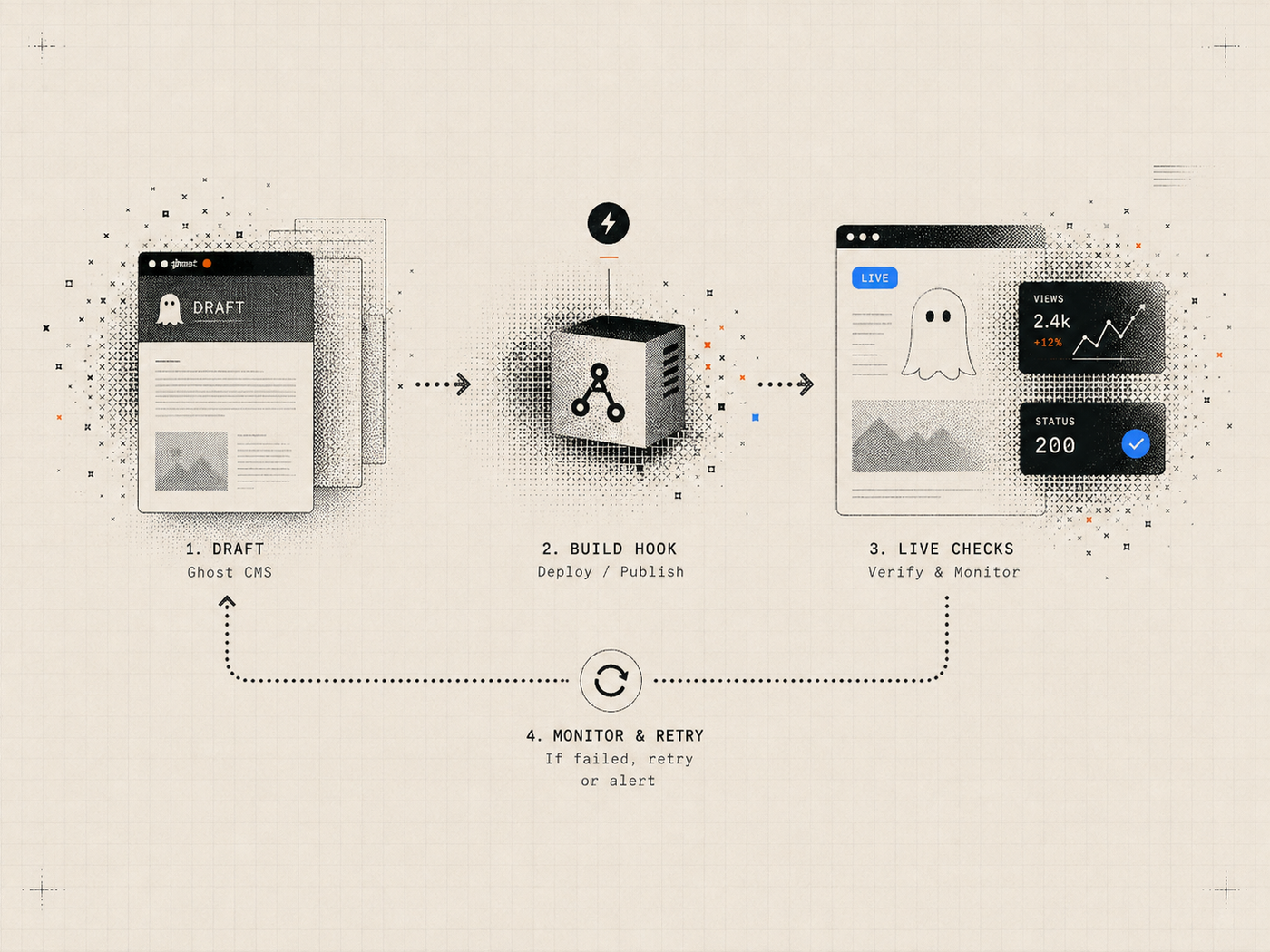
Network uncertainty does not prove failure. Read the target state before deciding whether another write is needed.
Frequently asked questions
Can Ghost CMS be fully automated?
Most mechanical publishing steps can be automated, but editorial approval, factual review, legal checks, and permission decisions still need explicit ownership. Full automation is not the same as unattended publishing.
Should an AI agent have the Ghost Admin API key?
The key should be held by a trusted local or server-side tool, not pasted into the conversation. The agent should call bounded tools whose server manages authentication.
Can automation schedule posts in a local time zone?
Yes. Plan schedules using an IANA time-zone name, convert them to exact UTC timestamps, review the plan, and verify the saved schedule after writing.
Does a published Ghost post require a frontend deploy?
Not when Ghost renders the site directly. A headless or static frontend may require a build, revalidation, or cache purge before the new content appears publicly.
How do I know the automation worked?
Read back the Ghost record, retain a receipt for each transition, and check the public URL. Separate confirmed Ghost state from deployment and rendering evidence.
The practical takeaway
Good Ghost CMS automation is a chain of bounded, observable steps. It does not hide publishing inside content generation or treat a successful API request as proof of a correct public page.
Begin read-only, create drafts, validate assets and metadata, preview revision-aware changes, approve schedules and publication separately, deploy once when required, and verify the live output. That structure saves time while preserving the points where human judgment matters.
References
[1] Ghost Admin API overview and authentication