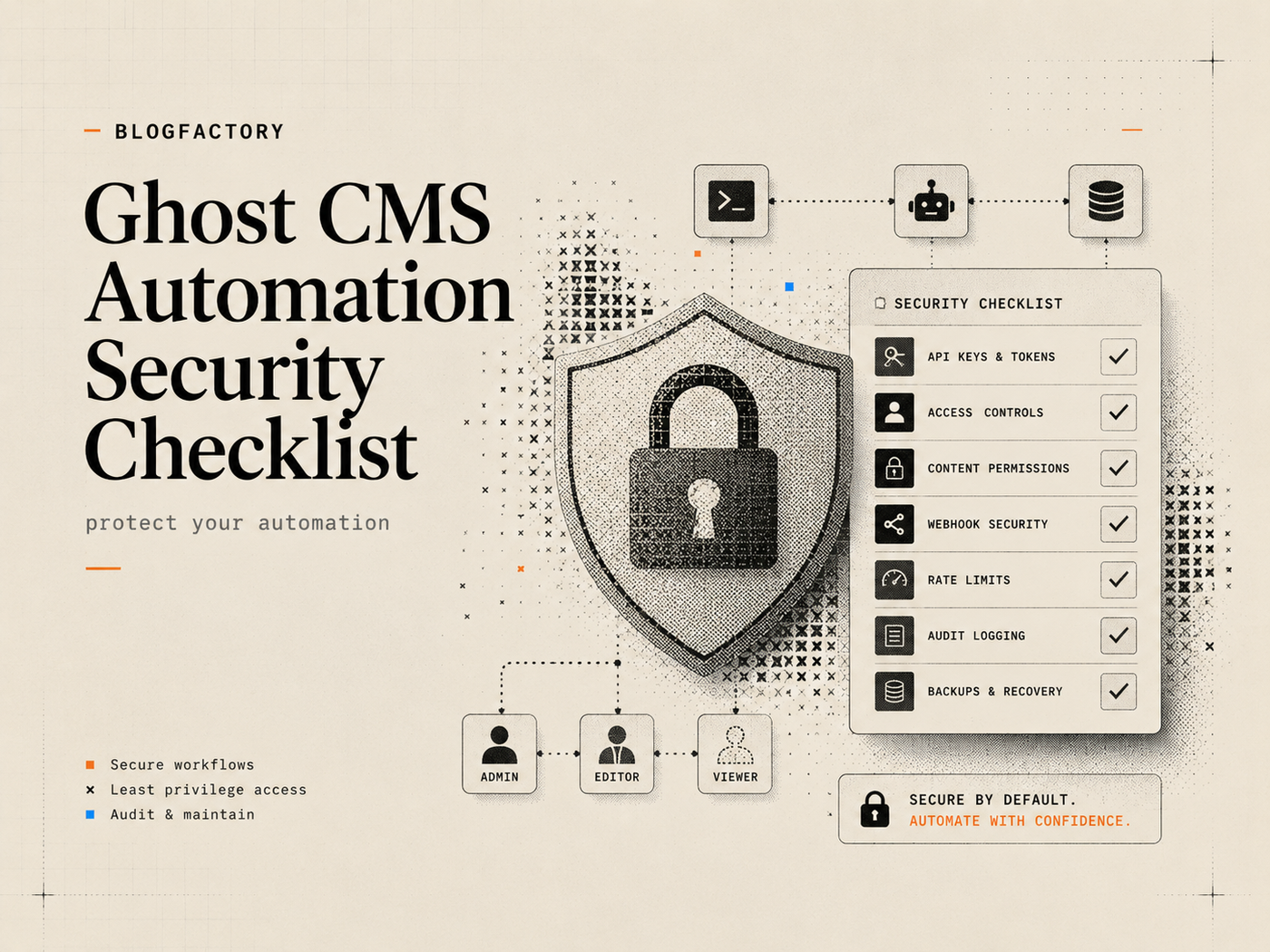
Ghost CMS automation security begins with one assumption: any process holding a Ghost Admin API key can affect a production publishing system. The goal is not to eliminate automation. It is to reduce the number of credentials, tools, people, and transitions that can change live content.
A secure workflow keeps secrets outside conversations, starts read-only, exposes the smallest practical tool set, binds edits to current revisions, separates drafting from publication, records every write, and makes revocation straightforward.
Key points
- Create a dedicated Ghost integration for each workflow and environment.
- Never paste an Admin API key into a prompt, issue, screenshot, repository, or command argument.
- Begin with read-only access and enable draft, schedule, and publish tools separately.
- Require exact targets, current revisions, previews, and explicit confirmation for writes.
- Do not let generated content determine its own publication status or destination.
- Treat image upload, deployment, unpublishing, and deletion as distinct capabilities.
- Read back every mutation and avoid automatic retries when the result is uncertain.
Threat model: what can go wrong in Ghost automation?

A threat model lists the assets, actors, actions, and failure modes that matter. For Ghost automation, the protected assets include the Admin API key, unpublished content, author identity, member or newsletter data when accessible, production URLs, deployment hooks, and the integrity of published pages.
Common failure modes include:
- a key leaked through chat history, shell history, logs, screenshots, or source control;
- an AI client connected to the wrong Ghost site;
- a tool surface broader than the editorial task requires;
- a stale update overwriting a newer human revision;
- generated instructions causing an unintended publish or delete action;
- an upload tool reading a sensitive local file;
- a timed-out write being retried even though it already succeeded;
- a successful Ghost publish being mistaken for a successful headless deployment.
Security controls should address these concrete paths rather than relying on a general instruction to “be careful.”
Checklist 1: create dedicated Ghost integrations
Create a separate custom integration for each production workflow that needs Admin API access. Ghost’s Admin API uses integration keys to generate authenticated tokens, and the key must stay in a trusted server-side or local environment.[1]
Do not reuse one credential for staging, production, personal scripts, contractors, and several automation platforms. Separate keys make attribution, rotation, revocation, and incident response more manageable.
Name integrations clearly, for example:
- Ghost Publisher MCP — Production;
- Ghost Publisher MCP — Staging;
- Editorial Migration — Temporary;
- Headless Deploy Verification — Read-only.
Record the owner, purpose, environment, creation date, storage location, and planned review date for each integration.
Checklist 2: keep Admin API keys out of conversations
The AI model does not need to see the raw Ghost Admin API key. A trusted local or server-side process should hold the secret and expose bounded operations to the client.
Never place the key in:
- a chat or prompt;
- a command-line argument that may remain in shell history;
- a Git commit, example configuration, or public gist;
- an issue, support ticket, or client compatibility report;
- a screenshot, video, analytics event, or crash report;
- frontend JavaScript or any browser-delivered bundle.
Use a private interactive prompt, environment variable, user-level application configuration, operating-system secret store, or managed secret manager. OWASP recommends centralizing secret storage, limiting access, auditing use, and designing for rotation.[2]
Checklist 3: review the package before giving it a key
A local package can read the environment variables supplied to it. Local execution reduces the need to trust a hosted credential service, but it does not make the package harmless.
Before connecting production credentials, inspect:
- the repository owner and package publisher;
- the current source, dependencies, install scripts, and network requests;
- the full registered tool inventory;
- logging and redaction behavior;
- release signatures, CI, tests, and update process;
- whether a version is pinned or silently upgraded at every start.
Test in staging or with read-only access before connecting the production site.
Checklist 4: start with read-only access
The first successful connection should not create, update, schedule, publish, unpublish, upload, delete, or deploy anything.
A read-only check should confirm:
- the intended Ghost hostname;
- the active environment and API compatibility;
- the selected permission profile;
- the ability to read one known post or Page;
- which optional upload, deployment, or public URL features are configured.
Stop immediately if the returned site identity is unexpected. Correct the configuration before enabling writes.
The Ghost MCP setup guide walks through a private, dry-run-first connection for supported clients.
Checklist 5: enforce least privilege in registered tools
A prompt that says “do not publish” is weaker than a server configuration that does not register publishing tools. Technical capability should match the operator’s current job.
A useful permission progression is:
- Read-only for discovery, audits, previews, and health checks.
- Draft editor for draft creation, approved draft changes, and constrained image uploads.
- Scheduler for schedule and unschedule operations.
- Publisher for publish, unpublish, deploy, and approved published-metadata changes.
General administration—including members, newsletters, users, themes, arbitrary API calls, and deletion—should be absent unless the workflow explicitly requires it.
Checklist 6: make draft creation draft-only
A create-content operation should never inspect the article body for publication instructions. Status must be controlled by the tool and server policy.
Separate tools should handle:
- creating a draft;
- editing an existing draft;
- planning a schedule;
- scheduling a reviewed draft;
- publishing an exact draft;
- unpublishing or deleting content.
This prevents prompt injection inside content from silently becoming an authorization decision.
Checklist 7: require exact targets and current revisions
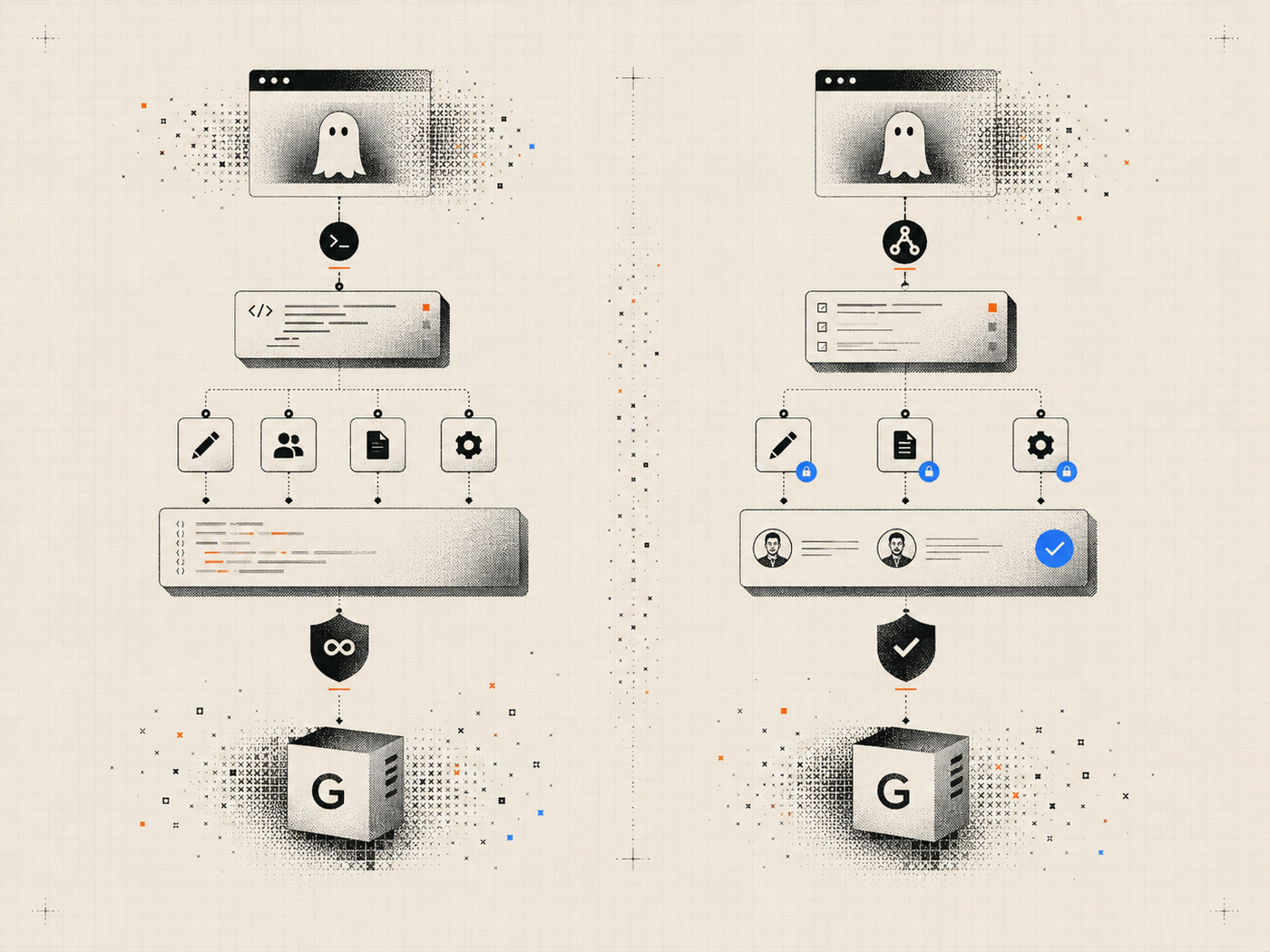
A write request should identify the exact Ghost post or Page, preferably by ID plus its current updated timestamp. Titles can be duplicated or changed; vague references such as “the latest post” are unsafe mutation targets.
Before applying a change:
- Read the target and capture the current revision.
- Preview the precise fields or sections that will change.
- Obtain approval for that scope.
- Apply only if the revision still matches.
- Read back the result and retain a receipt.
If another editor changed the content, stop and create a new preview. Do not overwrite newer work to preserve an old automation plan.
Checklist 8: separate approval for public transitions
Publishing, scheduling, unpublishing, deletion, and deployment affect public or time-sensitive state. Each deserves a named confirmation rather than an implied approval inherited from drafting.
The confirmation should state:
- the exact site;
- the exact post or Page IDs and titles;
- the current status and revision;
- the requested new status or schedule;
- whether one deployment will be triggered;
- which public checks will follow.
The publish-to-Ghost-with-AI guide shows how to keep these transitions separate from content generation.
Checklist 9: constrain image and file access
An upload tool should not accept arbitrary filesystem paths. Configure one or more approved upload roots and reject paths outside them, including symlink escapes.
Validate extension, MIME type, file size, image dimensions, and basic file integrity. Use the Ghost-returned URL after upload and read the draft back to confirm the correct asset is attached.
Review generated or externally sourced visuals for accuracy, licenses, private information, embedded secrets, deceptive text, and appropriate alt text before use.
Checklist 10: control deployment hooks and public URLs
A headless Ghost workflow may use a deploy hook or revalidation endpoint. Treat it as a secret capability because it can consume build resources or change the public site.
Require HTTPS outside localhost, reject embedded credentials and redirects, redact sensitive path components, and permit only the configured destination. Trigger the hook once after a complete successful publish batch rather than once per article.
Public-check tools should construct URLs from trusted templates. Generated content must not choose arbitrary hosts for the server to fetch, which could create server-side request forgery risk.
Checklist 11: avoid automatic write retries
A timeout or lost response does not prove that a write failed. Automatically repeating publish, upload, schedule, unpublish, or deployment calls can produce duplicated or contradictory state.
When the outcome is uncertain:
- Stop the mutation loop.
- Read the exact target state from Ghost.
- Check deployment or public state separately when relevant.
- Decide whether a new approved operation is actually necessary.
Retrying read-only checks is generally lower risk than retrying mutations.
Checklist 12: log receipts without leaking secrets
Record enough information to investigate a change without storing credentials or full sensitive payloads. A useful receipt includes the operation, timestamp, site hostname, target ID, prior revision, resulting revision, prior and new status, caller or client identity, confirmation state, and outcome.
Redact Admin keys, deployment tokens, authorization headers, private member data, complete environment-variable values, and unnecessary article content. Restrict log access and define a retention period.
Checklist 13: prepare key rotation and incident response
Assume that credentials may eventually be exposed. Document how to revoke the Ghost integration, create a replacement, update every legitimate client, test the new connection, and confirm that the old key no longer works.
When exposure is suspected:
- Revoke or rotate the integration immediately.
- Disable the affected MCP or automation configuration.
- Review Ghost content, users, integrations, schedules, and logs for unauthorized changes.
- Check headless deployment and public pages.
- Restore or unpublish affected content through a separately approved process.
- Document the cause and improve the control that failed.
Pre-launch Ghost automation security checklist
- A dedicated integration exists for this exact workflow and environment.
- The Admin key is stored privately and absent from chat, code, logs, and shell history.
- The package, dependencies, release, and registered tools have been reviewed.
- The first connection completed in read-only mode against the correct site.
- Only required permission profiles and tools are enabled.
- Draft creation cannot publish.
- Writes require exact targets, current revisions, previews, and explicit approval.
- Uploads are limited to approved roots and validated file types.
- Deployment and public-check destinations are server-configured and restricted.
- Automatic write retries are disabled.
- Write receipts are retained without secret leakage.
- Revocation, rotation, and incident-response steps are documented and tested.
Where Ghost Publisher MCP fits
Ghost Publisher MCP implements many of these controls as product boundaries: local stdio operation, permission profiles, draft-only creation, revision-aware previews, explicit confirmation, bounded batches, no delete tools, constrained upload roots, optional deploy hooks, and live checks.[3]
Those features do not remove the need to review the package, secure the host machine, protect the Ghost key, limit who can use the client, and audit the publication itself.
Review the current installation and permission model on the Ghost Publisher MCP page before connecting production credentials.
Frequently asked questions
Is a local Ghost MCP server automatically secure?
No. Local execution reduces dependence on a hosted credential service, but the local package and client can still access secrets and perform enabled actions.
Should an AI model ever see the Ghost Admin API key?
No. A trusted tool should manage the key and expose structured operations. The raw secret should remain outside model-visible messages.
Is read-only mode enough for content audits?
Usually. Reading exact posts, Pages, metadata, tags, and selected public surfaces does not require draft, schedule, publish, or delete capability.
Why are revision checks important?
They prevent an automation plan based on stale content from overwriting a newer change made by an editor or another process.
What should I do if a Ghost key appears in a screenshot or chat?
Treat it as exposed. Revoke or rotate the integration, update legitimate clients, inspect recent changes, and remove the secret from the original location where possible.
The practical takeaway
Secure Ghost automation is not one setting. It is a chain of controls from credential creation to public verification.
Use dedicated integrations, private secret storage, read-only onboarding, least-privilege tools, draft-only creation, revision-aware previews, explicit public-transition approvals, constrained uploads, controlled deployment targets, safe failure handling, and tested key rotation. Each control limits a different way automation can turn an editorial mistake into a production incident.
References
[1] Ghost Admin API authentication