
The old version of the self-hosted vs SaaS debate was simple: do you want to run software yourself or pay someone else to run it for you?
In 2026, the decision has more layers.
Content platforms increasingly connect to AI models, search data, analytics, automation systems, CMS APIs and agent protocols such as MCP. That means choosing a platform is also choosing where your data flows, which vendor controls the workflow and how easily you can replace individual parts of the stack later.
Self-hosting offers control. SaaS offers convenience. Neither is automatically better.
The right decision depends on what your team values and what it is capable of operating.
Self-hosted vs SaaS in 30 seconds
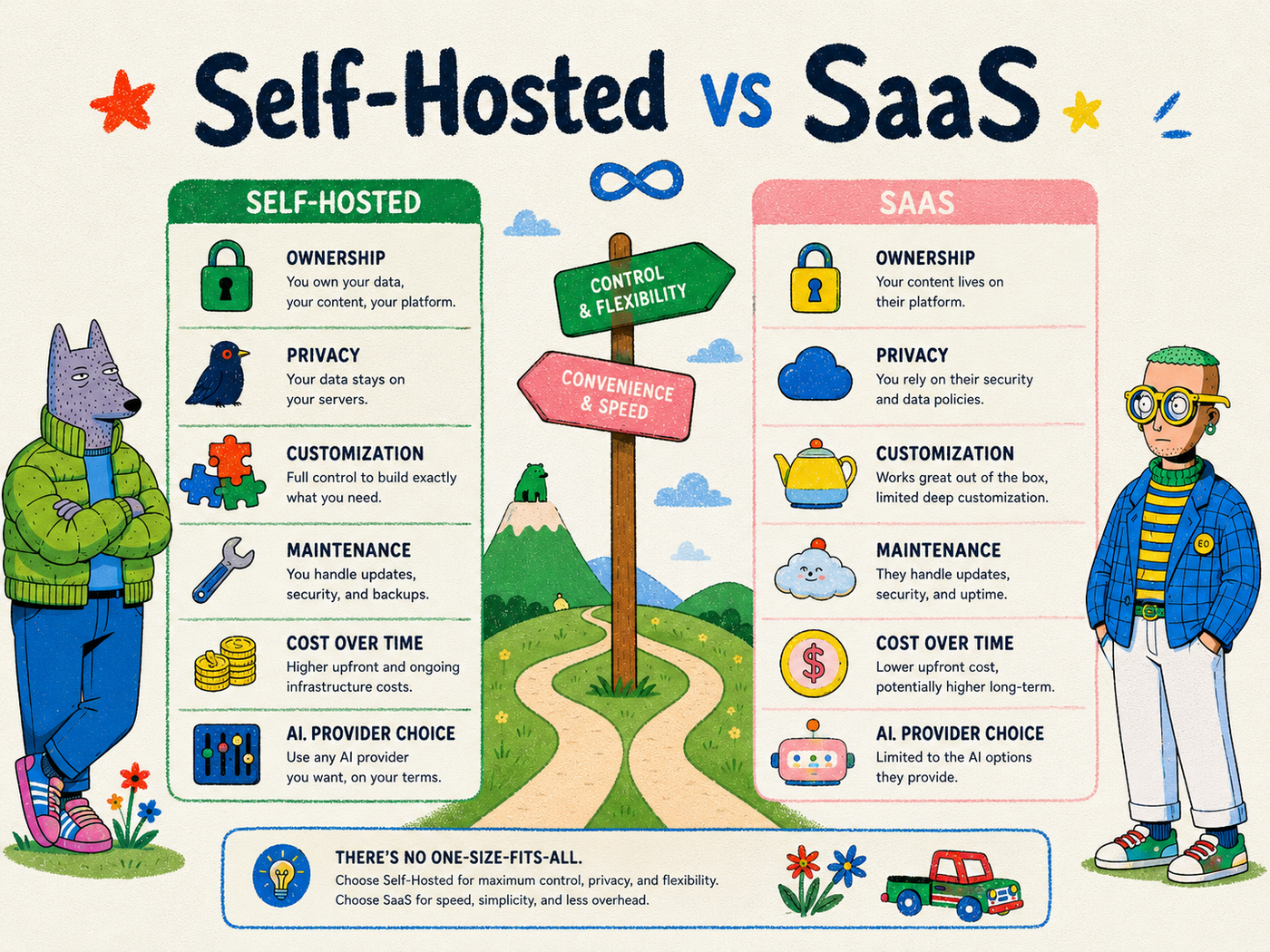
| Factor | Self-hosted | SaaS |
| Setup | More work | Usually fast |
| Infrastructure control | High | Low |
| Maintenance | Your responsibility | Vendor responsibility |
| Customization | Usually high | Depends on product |
| Data location | More controllable | Vendor-defined |
| Upfront engineering | Higher | Lower |
| Vendor lock-in | Potentially lower | Often higher |
| Support | Community/your team/vendor optional | Usually included by plan |
| Updates | You control timing | Vendor controls timing |
| AI provider flexibility | Potentially high | Product-dependent |
| Best for | Technical/control-focused teams | Speed/convenience-focused teams |
That table hides an important reality: many modern stacks are hybrid. You can self-host the content operations layer while using a hosted CMS, hosted AI model and commercial SEO data API.
What does self-hosted mean?
Self-hosted software runs on infrastructure that you or your organization control.
That infrastructure might be:
- a physical server
- a virtual private server
- AWS, Google Cloud or Azure
- Railway, Render or another deployment platform
- Kubernetes
- Docker on an internal machine
Self-hosted does not necessarily mean “on a computer under your desk,” and it does not necessarily mean “offline.”
A self-hosted application can still connect to external APIs and services. The key difference is that you operate the application layer and have more control over configuration, updates and data flows.
What does SaaS mean?
Software as a Service is hosted and operated by the vendor.
You create an account, configure the product and use it through a browser or API. The vendor handles most infrastructure responsibilities such as deployment, updates, availability and platform maintenance.
For most teams, this is dramatically easier.
You do not need to manage databases, object storage, reverse proxies, backups or containers just to start publishing content.
That convenience is why SaaS dominates so much business software.
1. Cost: SaaS is predictable, self-hosting is flexible
Cost comparisons are often oversimplified.
A self-hosted tool may have no software subscription fee and still be more expensive once you include:
- cloud infrastructure
- engineering time
- monitoring
- backups
- maintenance
- security updates
- incident response
At the same time, SaaS pricing can become expensive when it scales by seats, sites, content volume, API calls or premium features.
For a small non-technical team, SaaS is often cheaper in total cost of ownership.
For a technically capable organization operating many sites or requiring deep customization, self-hosting can become economically attractive.
The correct calculation is total operating cost, not monthly license price.
2. Data ownership and control
Self-hosting gives you more direct control over where application data is stored and how the software accesses it.
That can be important when content includes:
- unreleased product information
- customer research
- internal documentation
- proprietary SEO data
- legal or regulated material
- unpublished corporate strategy
However, self-hosting alone does not guarantee privacy.
If your self-hosted application sends a draft to an external AI API, that is still an external data flow. If it uses Google Search Console, a hosted CMS or a third-party keyword provider, those integrations still matter.
Data control requires examining the entire architecture, not simply looking for a “self-hosted” badge.
3. Security: control creates responsibility
Self-hosting is sometimes described as inherently more secure. That is not always true.
Running your own software gives you the ability to control access, networking, patches and infrastructure. It also gives you the responsibility to configure those things correctly.
A well-operated self-hosted system can meet strict security requirements.
A forgotten server with weak credentials and outdated dependencies can be far less secure than a professionally operated SaaS platform.
SaaS vendors often invest heavily in security because it is core to their business. But using SaaS also means trusting the vendor’s controls and accepting its threat model.
The decision comes down to capability and requirements, not slogans.
4. Customization
This is one of the clearest advantages of open-source self-hosted software.
If the source code is available under a suitable license, your team can potentially modify:
- workflows
- integrations
- interfaces
- permissions
- data models
- automation behavior
- deployment topology
SaaS products usually offer configuration rather than unlimited modification.
That is often enough. In fact, constraints can be helpful because they reduce maintenance.
But when your workflow is genuinely unique, access to the code can be the difference between adapting the product and forcing the organization to adapt to the product.
5. Vendor lock-in
Every platform creates some form of lock-in.
Even open-source software can create switching costs through custom schemas, integrations, training and operating knowledge.
The difference is that self-hosted open-source systems generally give you more exit options. You may be able to keep running the existing version, migrate data directly or fork the software.
A closed SaaS product can create deeper dependency if:
- data export is limited
- workflows exist only inside the platform
- proprietary automation cannot be reproduced
- pricing changes significantly
- APIs are restricted
- the product is discontinued
The best defense against lock-in is not avoiding all vendors. It is designing clean boundaries between layers of the stack.
6. AI provider freedom
AI makes platform lock-in more important because model quality changes quickly.
The best model for your workflow today may not be the best model six months from now.
A content platform tied tightly to one AI vendor creates risk. You may be forced to accept that model’s price, latency, policy and capabilities even when better options appear.
A more flexible system treats the model as a replaceable dependency.
That allows a team to use:
- a frontier hosted model for complex writing
- a cheaper API for classification
- a local model for private processing
- a different provider for extraction or translation
Self-hosted platforms are often better positioned for this “bring your own AI” architecture, although some SaaS products also support multiple providers.
7. Maintenance
This is the strongest argument for SaaS.
Software needs care.
Databases need backups. Dependencies need updates. Authentication breaks. APIs change. Storage fills up. Migrations fail. Logs need inspection. Security patches arrive at inconvenient times.
With SaaS, most of this disappears from the customer’s daily responsibility.
With self-hosting, it becomes your problem.
That is not necessarily bad. Engineering teams already operate infrastructure and may be comfortable adding another service. But marketing teams should not underestimate the operational burden because a Docker Compose file made the first installation easy.
Installing software and operating software are different jobs.
8. Reliability and support
A mature SaaS vendor usually provides monitoring, support and an uptime target.
With self-hosting, reliability depends on your deployment.
That can be an advantage if you need custom redundancy or private networking, but it can also mean there is nobody to call when a database migration fails at midnight.
Open-source communities can be excellent, and some projects offer paid support. Still, buyers should understand exactly what is included before putting mission-critical content operations on a self-managed stack.
9. Integrations and APIs
SaaS platforms often win on ready-made integrations because vendors spend years building connectors for popular business tools.
Open-source platforms can win on custom integrations because developers can work directly with the code and database.
The ideal architecture increasingly involves standard interfaces.
APIs made software interoperable for applications. MCP is beginning to do something similar for AI agents by giving compatible clients structured access to tools.
That means a platform’s value may depend less on how many AI features exist in its own interface and more on how safely external agents can work with it.
10. Control over updates
SaaS users usually receive updates automatically.
That is convenient until the vendor changes a workflow your team depends on.
Self-hosting allows you to control upgrade timing. You can test changes, create backups and move to a reviewed version on your own schedule.
The tradeoff is obvious: if you delay updates too long, you may accumulate technical debt or security exposure.
Control is useful only when the organization has a process for exercising it responsibly.
When SaaS is the better choice
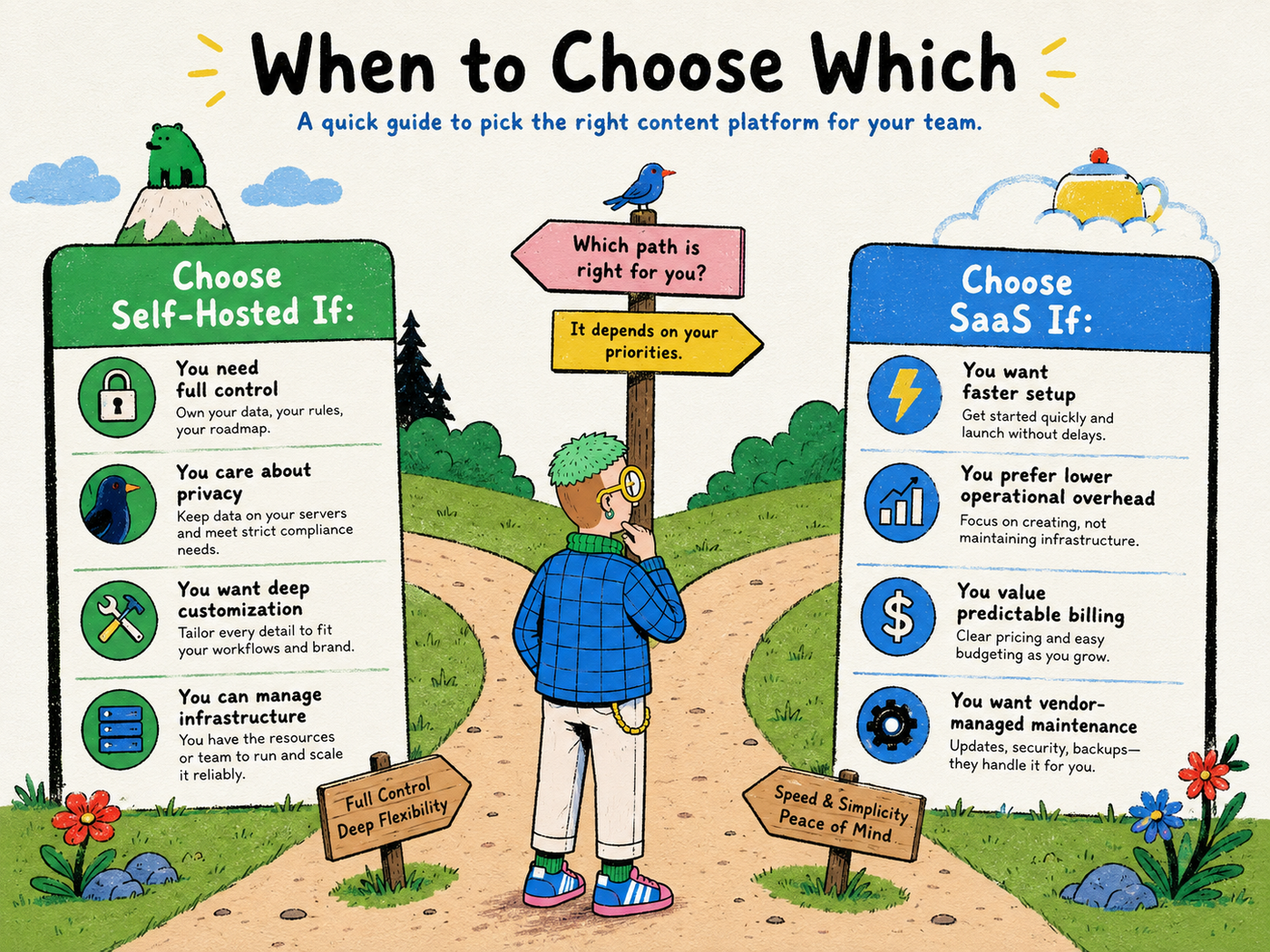
Choose SaaS when your priorities are:
- fastest possible setup
- minimal technical maintenance
- vendor support
- predictable user experience
- strong managed infrastructure
- a standard workflow that does not require deep customization
A small content team should not become an infrastructure team simply to avoid a subscription.
When self-hosting is the better choice
Self-hosting becomes more attractive when:
- infrastructure control is a requirement
- the product needs deep customization
- you operate many sites or workflows
- you have technical staff
- you want direct access to the application and data layer
- you need to integrate custom agents or internal systems
- you want more freedom to switch AI providers
- you want to avoid giving one SaaS vendor ownership of the entire content workflow
The hybrid model is often the best model
The self-hosted vs SaaS framing suggests you must choose one side for the entire stack.
You do not.
A modern content architecture could look like this:
Hosted Search Console + commercial SEO data + hosted AI model → self-hosted content operations → hosted CMS
Or:
Self-hosted crawler + local model + self-hosted automation → SaaS content platform
Each layer can be evaluated independently.
That makes the architecture more resilient because changing one provider does not force you to replace everything else.
Where BlogFactory fits
BlogFactory follows a hybrid-friendly approach.
The Community project is open source and self-hostable. It is designed to work as a content operations layer around the services you choose to connect, including AI providers, Search Console and CMS destinations.
Its focus is not “keep every service on one server.” The focus is keep control of the workflow.
Through MCP, compatible AI clients can perform approved site-scoped content operations. BlogFactory maintains boundaries around what those agents can do and keeps the CMS handoff draft-only.
That creates a useful architecture for teams that want AI automation without making the AI provider or the CMS responsible for the entire editorial process.
A decision checklist
Before choosing self-hosted or SaaS, answer these questions honestly:
- Do we have someone who can operate the infrastructure?
- How expensive would one hour of downtime be?
- Do we have unusual workflow or permission requirements?
- Does our content contain sensitive internal information?
- How important is switching AI providers?
- How many sites and users will we manage?
- Do we need custom integrations?
- Can we export our data cleanly if we leave?
- Who is responsible for backups and upgrades?
- Are we choosing self-hosting for a business reason or simply because it sounds more independent?
If the answers favor convenience, choose SaaS.
If they favor ownership and your team can handle operations, self-hosting may be worth it.
If the answers are mixed, design a hybrid stack.
The best architecture preserves optionality
Technology choices change faster than content organizations do.
Your best AI provider will change. Your CMS may change. Your preferred automation tool may change. New agent standards will appear.
A good content architecture does not prevent change. It creates clean boundaries so that change is manageable.
That is the strongest argument for modular, open systems: not that every component must be self-hosted, but that no single component should unnecessarily own the entire workflow.
Explore BlogFactory on GitHub
BlogFactory is an open-source, self-hostable content operations platform built around that modular approach. Inspect the source, review its MCP and draft-only workflow, run it on your own infrastructure or contribute to the project.