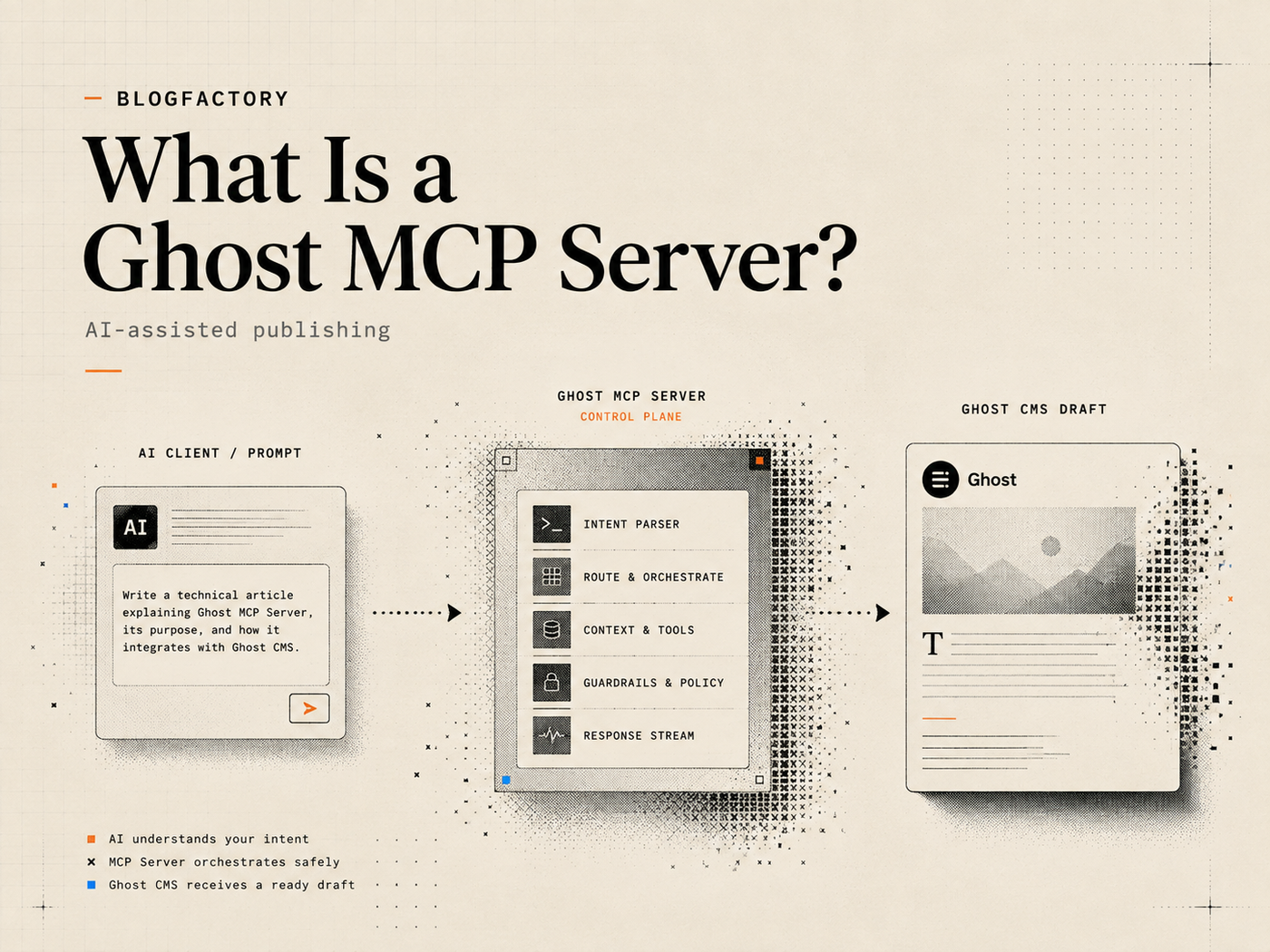
A Ghost MCP server connects an AI application to Ghost CMS through a defined set of tools. Instead of giving a model a raw Admin API key and asking it to improvise API calls, the server translates approved actions—such as reading a post, creating a draft, uploading an image, or publishing an approved item—into structured operations.
Key points
- A Ghost MCP server is a bridge between an MCP-compatible AI client and the Ghost Admin API.
- The server decides which Ghost actions are exposed; MCP by itself does not make an integration safe.
- A narrow server can limit the workflow to posts, Pages, images, schedules, audits, and explicit publishing approvals.
- Ghost Admin API keys are secrets and belong in a secure server-side or local client configuration, not in chat messages.
- Start with read-only access, inspect the available tools, and expand permissions only when the workflow requires it.
What is a Ghost MCP server?
A Ghost MCP server is software that exposes selected Ghost CMS capabilities through the Model Context Protocol. MCP is an open standard for connecting AI applications to external systems, including data sources, tools, and reusable workflows.[1] For a broader content-marketing example, see MCP for SEO.
In a typical setup, four components are involved:
- You, who requests an editorial or publishing action.
- The AI application, such as an MCP-compatible coding assistant or desktop client.
- The Ghost MCP server, which publishes structured tool definitions and validates calls.
- Ghost CMS, which stores and manages the content through its Admin API.
The AI application discovers tools with explicit names, descriptions, and input schemas. A tool might read “create a draft post,” “list scheduled posts,” or “check the live page.” The server performs the bounded operation and returns a structured result. A well-designed MCP server therefore becomes an operating boundary between a probabilistic model and a production publishing system.
How does a Ghost MCP server work?
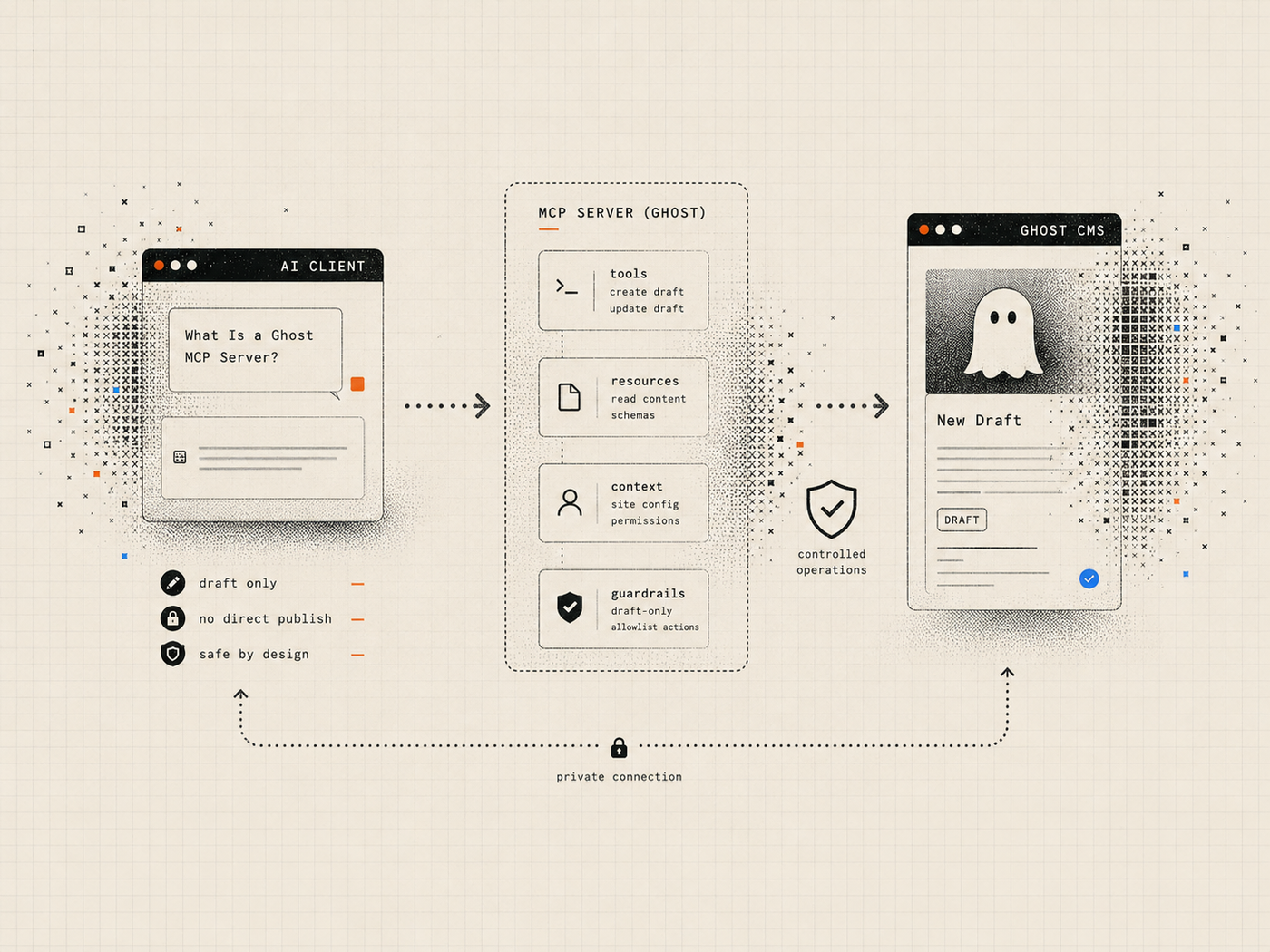
The exact implementation varies, but the flow usually follows the same pattern.
- The AI client starts or connects to the MCP server.
- The server advertises the tools, resources, and prompts it supports.
- The user asks for a task in natural language.
- The AI client selects a relevant tool and prepares structured arguments.
- The server validates the request and checks whether the capability is enabled.
- The server calls the Ghost Admin API.
- Ghost returns the result.
- The server sends a bounded response back to the AI client.
MCP separates structured communication from transport. Local servers commonly use standard input and output, while remote implementations may use Streamable HTTP.[2] A local process can keep the Ghost Admin key on the operator’s machine, although local execution does not by itself prove that the package is trustworthy.
What can an AI do through a Ghost MCP server?
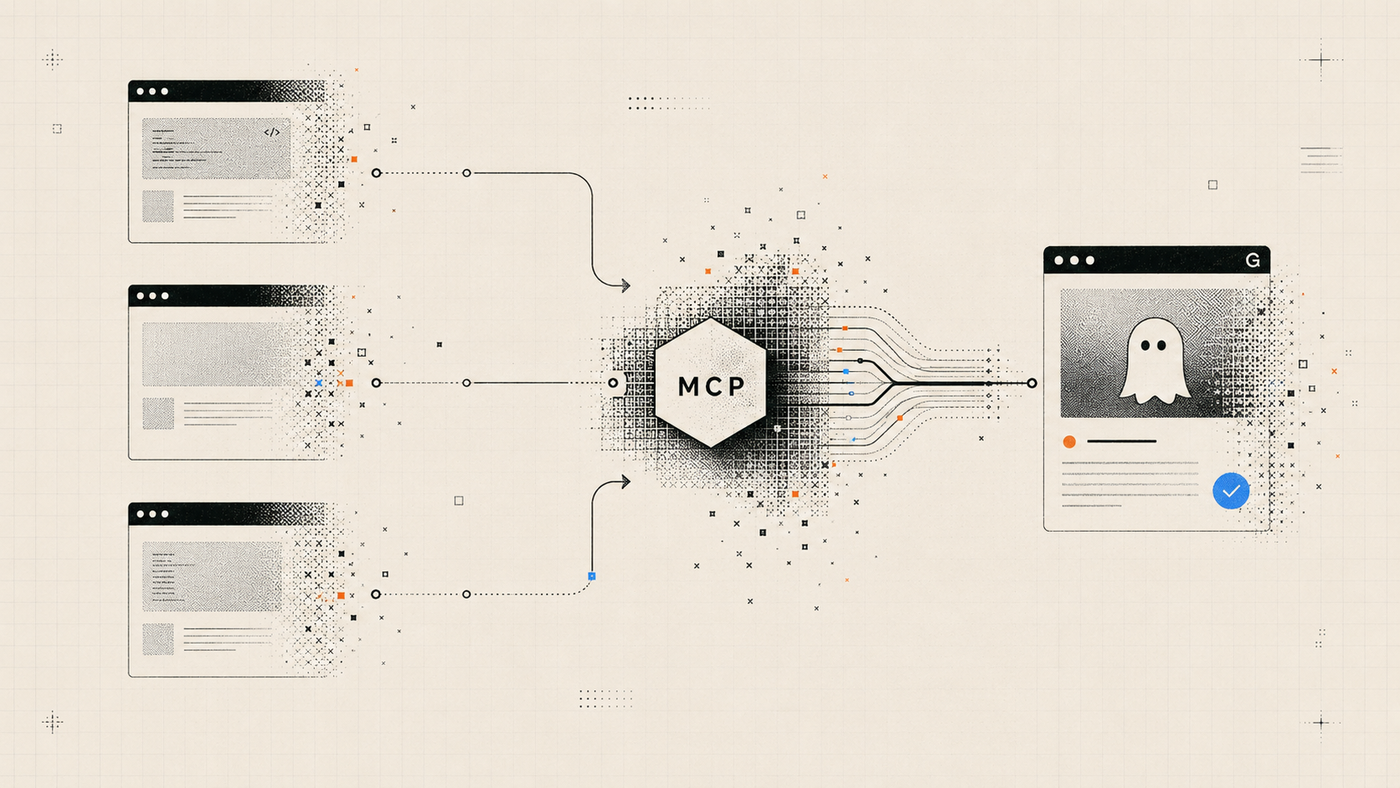
There is no universal capability list. A broad server may mirror much of the Ghost Admin API, including content, members, newsletters, users, themes, and deletion. A publishing-focused server can be much narrower. Common editorial capabilities include:
- listing and reading posts or Pages;
- creating draft posts;
- updating titles, excerpts, metadata, and content;
- uploading validated images;
- reading tags and public author information;
- auditing selected content;
- planning a schedule;
- scheduling an approved draft;
- publishing or unpublishing an exact item;
- triggering a configured deployment hook for a headless site;
- checking the rendered public result.
A read-only server and a full-administration server may both use MCP, but they grant very different authority. Inspect the complete tool list before installation.
Ghost MCP server vs direct Ghost Admin API integration
The Ghost Admin API already supports creating and managing content. Ghost’s official documentation describes token authentication for integrations, including publishing workflows, and warns that Admin API keys must remain private in secure server-side environments.[3]
A direct integration can be the simplest choice for a fixed application because the developer controls every request. MCP becomes useful when multiple compatible AI clients should discover and call the same structured capabilities. The server can centralize validation, descriptions, and approval rules, but it also becomes another component to review and maintain.
MCP is not a replacement for the Ghost Admin API. It normally wraps that API and defines how an AI client may use it.
Why the tool surface matters more than the protocol
It is easy to describe an integration as “secure because it uses MCP.” That is incomplete.
MCP standardizes communication. The server author still decides whether the system exposes a read operation, a draft-only create operation, a publish operation, or a destructive delete operation. The host still decides which server to run. The operator still decides where credentials live and which requests require confirmation.
A practical review should ask:
- Can draft creation ever publish immediately?
- Does the server include delete tools?
- Can it manage members, newsletters, themes, or users?
- Are write actions separated from read actions?
- Does an update require the current Ghost revision?
- Can the operator preview a change before applying it?
- Does publishing require a separate, explicit confirmation?
- Are automatic write retries disabled?
- Can the result be verified after publication?
- Does the server run locally or send credentials to a hosted service?
A safer permission model for Ghost publishing
A single all-powerful configuration is convenient, but it is rarely the best starting point. A staged permission model lets the operator expand authority as the workflow matures.
Read-only access is appropriate for initial setup, audits, post discovery, and connection testing. The client can inspect content without creating or changing it.
Draft editor access can add draft creation, approved metadata changes, and image uploads while keeping publishing unavailable.
Scheduler access can add planning, scheduling, and unscheduling for exact drafts.
Publisher access can add explicit publication, unpublishing, and deployment operations.
Ghost Publisher MCP follows this type of profile-based model. It is an unofficial, local-first open-source server maintained by BlogFactoryHQ. Its scope focuses on posts, Pages, images, schedules, diagnostics, deploy hooks, and public checks rather than exposing general Ghost administration.[4]
Grant the AI client the smallest capability set that can complete the current job. BlogFactory applies the same idea through an agent control plane for content operations.
How Ghost credentials should be handled
A Ghost custom integration supplies an Admin API key. Ghost uses that key to create short-lived JSON Web Tokens for authenticated Admin API requests.[3]
The key itself remains sensitive. Never paste it into an AI chat, public issue, screenshot, shell argument, or committed configuration file. For a local MCP server, keep it in the client’s private user configuration or inject it through the process environment.
A setup flow should also support a non-writing connection check. The safest first test proves that the server can reach the intended Ghost site while the permission profile remains read-only.
Revision checks, previews, and confirmations
Even a legitimate write can be wrong if the content changed after the AI last read it.
Suppose an editor updates a post while an agent is preparing a metadata patch. If the agent writes against stale content without checking the current revision, it may overwrite newer work. Revision-aware updates reduce that risk by requiring the target’s current `updated_at` value or equivalent revision information.
A stronger workflow separates three moments:
- Read: fetch the exact current item.
- Preview: describe the intended fields, body changes, and required scope.
- Apply: execute only if the target revision still matches and the operator has approved the named change.
Publishing deserves an additional confirmation because changing a draft is not the same as making it public. Scheduling, unpublishing, and deployment should also remain distinct transitions.
Ghost MCP servers for headless publishing
In a traditional Ghost theme, publishing a post usually makes the Ghost-rendered page available. In a headless setup, Ghost may only be the content source. A separate frontend must rebuild or revalidate before readers see the new content.
That adds two steps to the workflow:
- trigger the configured deployment or revalidation hook;
- verify the public URL after the frontend updates.
A publishing server should distinguish the Ghost content transition, deployment request, and public verification result. Useful checks include HTTP status, expected title text, canonical URL, and selected SEO metadata.
How to choose a Ghost MCP server
Evaluate the server as production software, not as a prompt library.
1. Inspect the repository, package, and license
Confirm who maintains the project, whether the published package matches the source, and how updates are handled.
2. Read the complete tool inventory
Look for unnecessary deletion, member, newsletter, theme, user, or arbitrary API capabilities.
3. Check credential architecture
Determine whether the key stays local or is entrusted to a remote service, and verify that logs redact secrets.
4. Test without writing
Use a dry run or read-only profile before creating content.
5. Review write and failure controls
Prefer exact IDs, revision checks, previews, explicit confirmation, bounded batches, and clear handling for partial failures. Automatic retries are risky when a write may already have succeeded.
Getting started with Ghost Publisher MCP
For a publishing-focused workflow, Ghost Publisher provides a one-command setup path and can generate local configuration for supported clients.
The recommended sequence is:
- Create a dedicated custom integration in Ghost Admin.
- Run setup in a private terminal.
- Select the read-only permission profile.
- Review the redacted configuration plan.
- Verify the connection without writing.
- Move to draft-editor only when you are ready to create drafts.
- Enable scheduling or publishing only for workflows that require those transitions.
The official installation guide is available on the Ghost Publisher MCP page. The complete tool list and source are available in the GitHub repository.
Frequently asked questions
Is a Ghost MCP server an official Ghost feature?
No. MCP servers for Ghost are generally independent integrations built on top of Ghost’s public Admin API. Review each project’s documentation and security model separately.
Does MCP make Ghost publishing safe automatically?
No. MCP standardizes how a client and server communicate. Safety depends on the exposed tools, credential handling, validation, permission scope, confirmation requirements, and operator practices.
Can a Ghost MCP server publish posts?
It can if the server exposes a publishing tool and the configured permission profile allows it. A safer design keeps draft creation draft-only and requires a separate confirmation for publication.
Can I use a Ghost MCP server only for reading?
Yes. A read-only configuration is useful for connection tests, content inventory, audits, and research without enabling changes.
Is a local MCP server always safer than a remote one?
Not automatically. Local execution reduces the need to send credentials to a hosted vendor, but the local package can still be malicious, vulnerable, or overly broad. Review the code, package source, configuration, and tool surface.
Do I still need human review?
Yes. MCP can make content operations more structured, but it does not verify editorial judgment, factual accuracy, legal requirements, or brand decisions by itself.
The practical takeaway
A Ghost MCP server turns Ghost actions into structured tools an AI client can call. Its value is not merely that you can “talk to your CMS.” The value comes from defining a usable boundary around what the AI may do.
Choose the narrowest tool surface, keep the Admin API key private, begin read-only, require revision-aware previews for changes, and separate drafting from scheduling, publishing, deployment, and live verification.
That is how an AI-assisted Ghost workflow becomes an operating system for editorial work rather than an uncontrolled shortcut to the publish button. The same boundary is explored in open-source content automation and the guide to publishing to Ghost with AI.